User Diary
The User Diary provides information about all user activities on every monitored endpoint. Each time a user logs into a monitored endpoint, all actions performed by that user are captured as screenshots, and metadata is collected about the applications, registry settings, files that the user accessed, and so on. The User Diary is used to see all of this activity by a particular user across all endpoints.
In the User Diary, you can:
-
Locate recorded sessions by date range, specific login or secondary user name, and/or endpoint name.
-
View user statistics about computers that were accessed and recorded session activities.
-
Search for recorded sessions per specified data type, time period, user (or login account), endpoint name, and showing the context in which a user action was performed.
-
Identify sessions that have alerts.
-
View session details, such as, date, duration, login or secondary user, endpoint, client, number of slides (or commands in the case of Unix sessions).
-
Display session time by the endpoint or server location.
-
Watch video replays of sessions.
-
Expand sessions to view more details such as, configured messages, user replies/acknowledgements, ticketing messages, user comments or feedback.
-
View summary information about file activity during a session.
-
View applications or websites that the user accessed during a session according to the titles of the windows opened.
-
Add comments to sessions.
-
Print session metadata and export it to Excel.
-
View applications accessed by specific user logins.
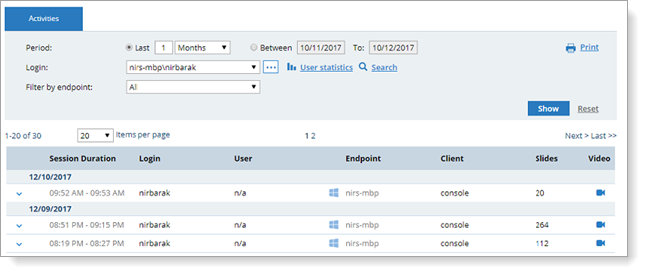
The User Diary provides the following views: